Conditional Fees
Conditional fees can be used to add additional charges if certain conditions are matched.
How to add a conditional fee:
- From the dashboard, click the Settings button at the left hand side of the screen.
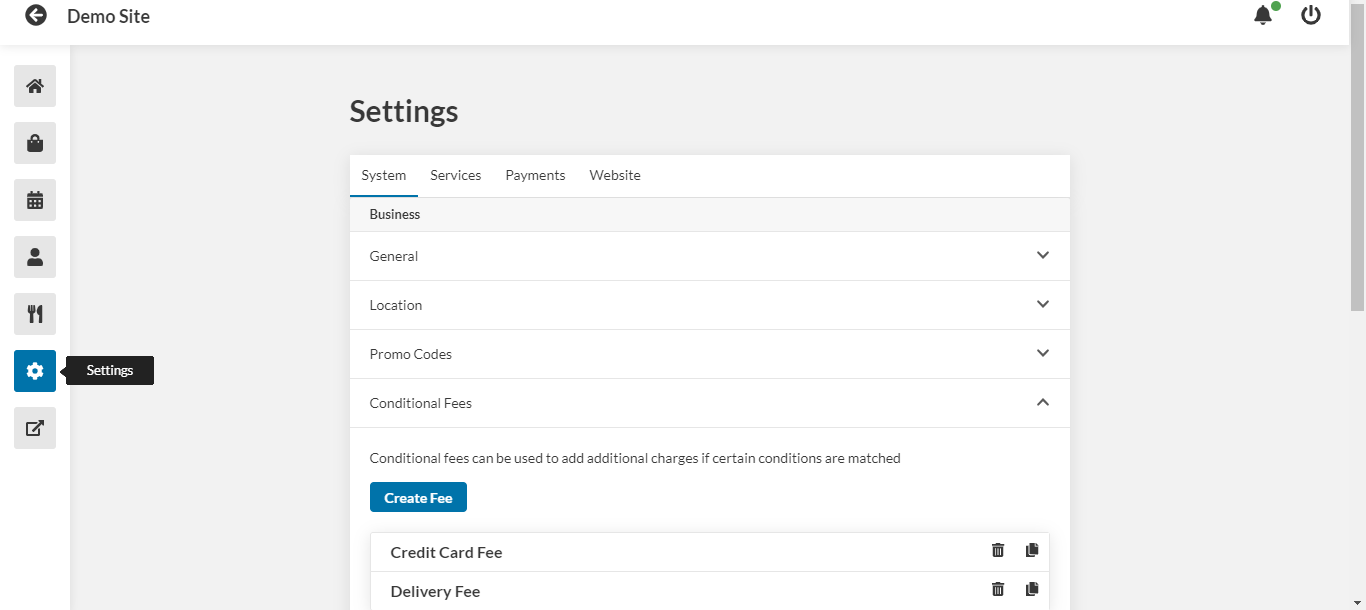
- Under the System tab, click Conditional Fees.
- Click Create Fee.
- Enter a name for the fee.
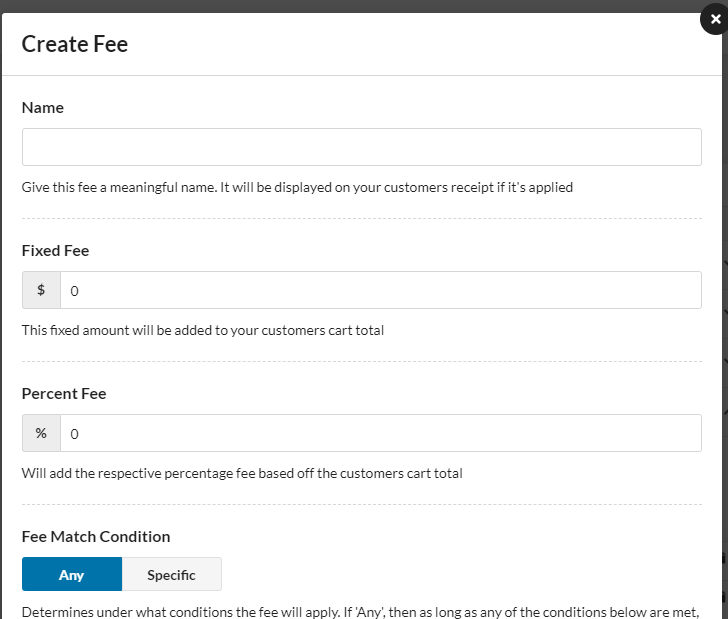
- Enter the fee as a fixed price or a percent of the total.
- Select whether the fee will apply if any of the conditions are met, or if all of the conditions are met.
- Select whether this fee will apply to immediate orders or to delayed orders.
- Select whether this fee will apply to Pickup, Delivery, Table Bookings, or Dine-In orders.
- Select the payment methods that this fee will apply to.
- Add applicable hours by clicking Add Time Slot.
- Toggle the fee on or off.
- Toggle whether or not taxes will apply to this fee.
- Click Save.