Adding Ingredients to Menu Items
You can add a list of ingredients for each menu item that the customer will be able to remove when ordering.
- From the dashboard, click the Menus button on the left hand side of the screen.
- Click on a menu, and a category if applicable.
- On the right hand side of the row for the item for which you want to add ingredients, click Edit.
- In the window that pops up, click the Options & Ingredients tab.
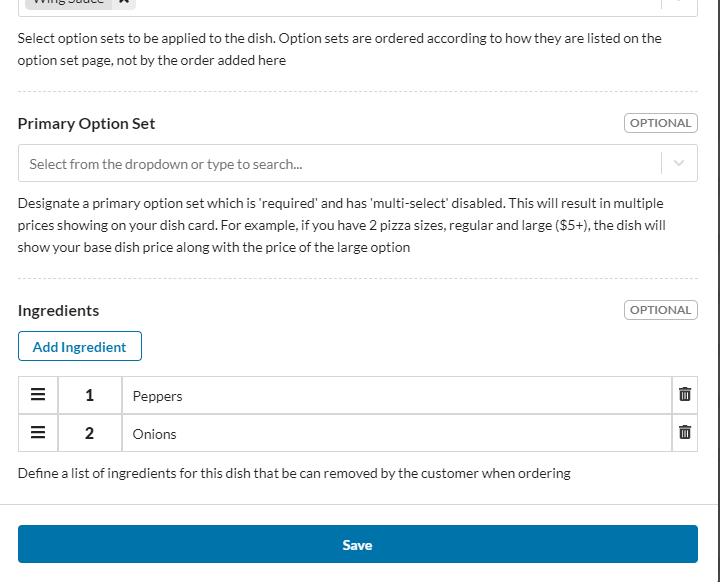
- Scroll down to the Ingredients section, and click Add Ingredient.
- In the Name field, enter the name of the ingredient.
- Repeat steps 5 and 6 for each ingredient you want to add.
- Click Save. Your ingredients have been added.