Dashboard Overview
The dashboard provides a summary of orders.
The dashboard can be reached by clicking on the "Home" icon on the left menu.
From the dashboard, you may view
- Total Sales
- Total Orders
- Total Tips
- Number of Tips
- Sales Graph
- Payments
- Number of Sales of Each dish
Viewing Orders by Date
You may wish to view the summary over a period of time. Here's how you can do so by day, week, month, or year.
-
From the dashboard, click the drop-down menu in the upper right-hand corner.
-
Select the period of time you wish to see. You can choose Day, Week, Month, or Year.
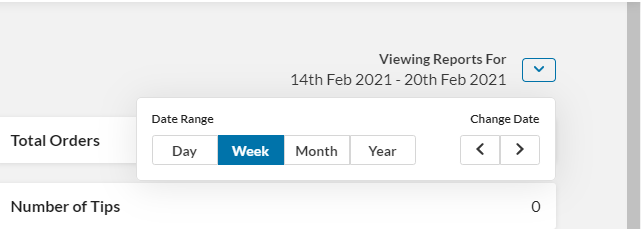
- Use the arrows to the right to move forward in the period of time selected. The dashboard will be updated with data from the selected date and period.